No image, center aligned
This pageA page is often used to present “static” information abo... is an example of the banner layout “No image, centered,” with the “Light” text option. The banner features a background color with text displayed in the center.
Editing the banner
On the back endThe back end is the area that authorized users can sign into... More, find the Banner Settings section. Select the layout “No image, centered aligned.” Choose “Light” or “Dark” text. Add or update the Title, Subtitle, and ContentContent consists of text, images, headings, and other inform... More link.
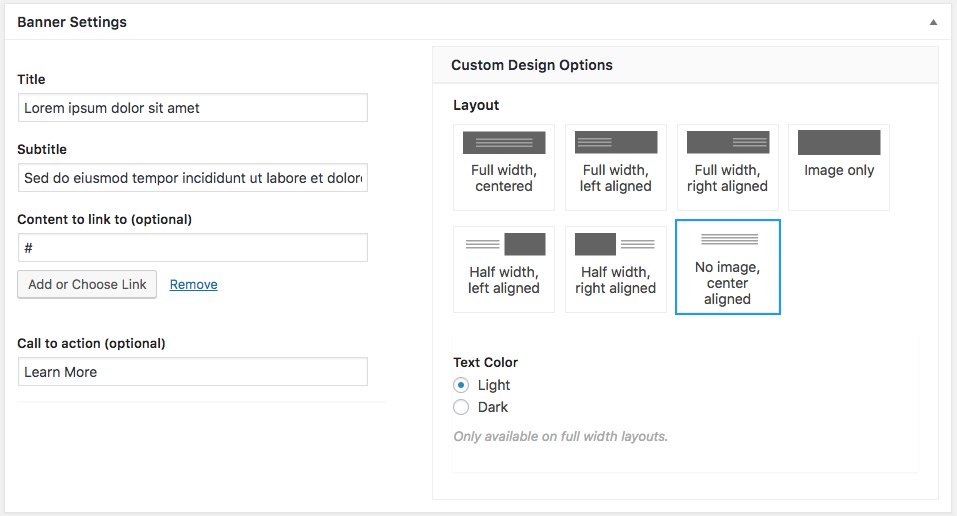
Text Color
Choosing “Light” will make the banner text white and make the banner background color dark grey. Choosing “Dark” will make the banner text black and make the banner background color white.